
What Does Restrict Do on Instagram?
Instagram’s “restrict” feature is an effective tool for maintaining privacy and controlling unwanted interactions without completely cutting someone off. When you choose to restrict someone, it doesn’t notify them; they can still engage with your content, but with limitations. If you’re wondering how restricting someone on Instagram works, you’re in the right place to learn all about it. Restricting is the perfect solution when you want to avoid full confrontation, while still limiting certain users’ access to your profile.
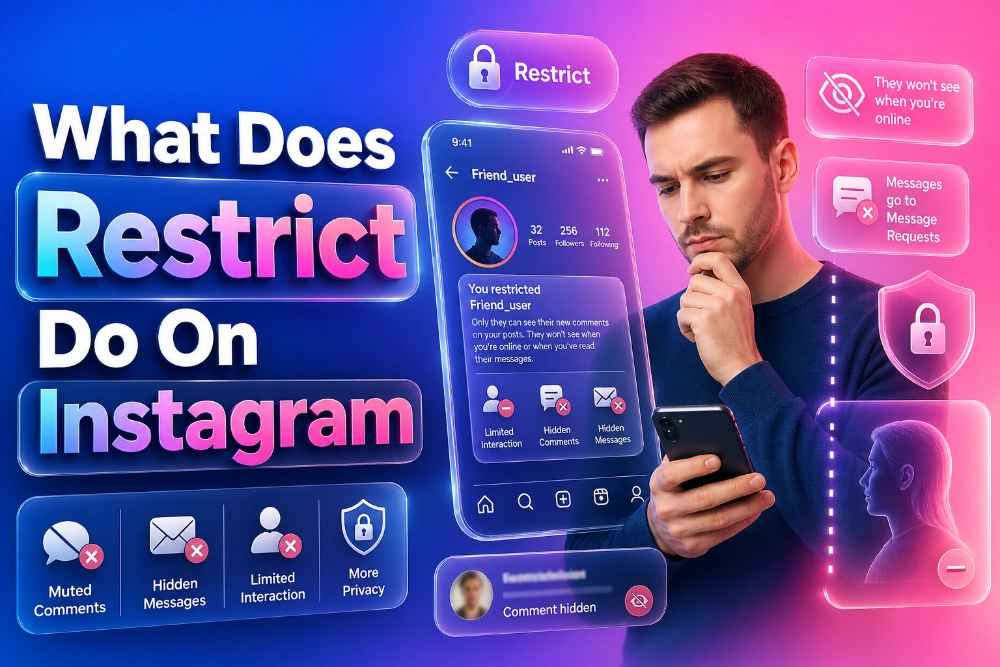
When you restrict someone on Instagram, their comments are hidden from everyone except them. They can still engage with your posts, but they won’t realize that their comments are invisible to others. Direct messages from restricted users are moved to the “Message Requests” section, and you will not see their messages as “read” unless you open them. These actions help users maintain privacy without resorting to the more drastic measure of blocking someone. For more control over your Instagram interactions, you can use the Instagram Highlights Viewer to monitor specific accounts’ activities.
How Does Restricting Someone on Instagram Affect Their Comments?
Restricting someone impacts their ability to interact with your posts. Unlike blocking, which makes a person’s comments entirely invisible, restricting someone only hides their comments from others. The restricted user can still see their comments, but no one else can. This subtle restriction can be useful if you want to avoid drama or awkward situations with someone who might post inappropriate or unwanted comments. You are still able to delete or approve these comments manually if needed.
Additionally, restricted users will not see whether you’ve read their direct messages. If you’re concerned about the visibility of your interactions with restricted users, you can keep your profile settings private or adjust story settings to hide them from specific people. The flexibility of these privacy features is what makes Instagram’s “restrict” option an appealing choice. It allows for a comfortable middle ground between letting someone interact with your content and maintaining some boundaries.
The Difference Between Blocking and Restricting on Instagram
While both blocking and restricting serve to limit unwanted interactions, they differ in how they function. Blocking completely cuts off communication with the person. They can no longer see your profile, posts, or stories, and their comments and likes are removed from your posts. On the other hand, restricting someone on Instagram only limits their visibility and interactions without severing the connection entirely.
For example, restricted users can still view your public posts and send you messages, but you won’t be notified of their activities unless you choose to engage with them. This is much less noticeable compared to blocking someone, and it provides a softer approach to handling problematic followers. If you want to monitor Instagram accounts without notifying anyone, tools like the Instagram Data Viewer allow you to discreetly track account activity.
What Happens to Direct Messages When You Restrict Someone?
When you restrict someone on Instagram, their direct messages are sent to your “Message Requests” folder, where you can choose to either accept or decline their messages. This prevents the restricted user from seeing whether or not you’ve read their messages, giving you full control over when and how to respond. This feature comes in handy if you don’t want to completely block someone but still want to manage the conversation privately.
Additionally, restricting someone helps maintain privacy by hiding their online status and activity from them. They will no longer be able to see whether you are online or when you last were active, further reducing their ability to monitor your Instagram usage. You can use this feature to protect your space while still allowing the person to send you messages or engage with your content.
Can Restricted Users See Your Stories?
Even though you have restricted someone, they can still view your Instagram stories, unless you manually hide them from specific people. This is where controlling your story visibility settings becomes essential. Instagram allows you to customize who can see your stories, and hiding them from a restricted person can add another layer of privacy. If you want to keep your stories visible only to a specific group of people, Instagram’s options make it easy to set these boundaries.
In the same vein, restricting someone will also prevent them from seeing when you’re active in Instagram’s Direct Message section, further limiting their interaction with your account. This means that even though they may still engage with your posts, you retain control over who can see your most private content, including your stories. It’s an effective way to balance visibility with privacy.
Managing Restricted Users on Instagram
Managing users you’ve restricted is easy from their profile. Simply go to their account and choose to either “unrestrict” or continue restricting their access. Unlike blocking, which completely removes the person from interacting with you, restricting is reversible and offers more flexibility. If you change your mind about restricting someone, unrestricting them allows them to comment and message freely again.
However, if you notice a pattern of behavior that you no longer want to deal with, you may want to consider fully blocking the person instead. Blocking someone will not only remove them from interacting with your profile but will also prevent them from seeing your posts and stories entirely. For users who want to monitor Instagram profiles discreetly, using the Instagram Content Viewer is a useful tool to keep an eye on activity without letting the account holder know.
How to Restrict Someone on Instagram
Restricting someone on Instagram is a simple process. First, navigate to their profile, and click on the three dots in the top-right corner. From there, you’ll see the option to restrict the user. Alternatively, you can restrict users directly from the direct message thread by selecting their profile and then choosing the option to restrict. Once you’ve restricted someone, their comments and messages will be hidden from your main feed, and they’ll no longer be able to see your activity status.
If at any point you want to reverse this action, you can unrestrict them just as easily. This gives you full control over your interactions and keeps your account flexible and secure. When using this feature, be aware that the restricted person will still be able to interact with your posts, but they won’t realize the limitations you’ve set. It’s an easy way to manage unwanted or uncomfortable interactions.
Can You Tell If Someone Has Restricted You?
One of the advantages of the restrict feature is that it’s completely discreet. Unlike blocking, which gives the person a clear indication that they’ve been cut off, restricting doesn’t alert anyone. If you’re wondering whether someone has restricted you, you may not notice anything unless you attempt to comment or send a message. You won’t be able to tell if your comments are hidden from others, and if they send you a direct message, it will simply land in your message request folder.
This stealthy nature of restricting makes it a great option for those who want to limit their interaction with someone without causing a confrontation. If you want to track someone’s activity discreetly, using tools like the Instagram Comment Viewer can help you stay informed without letting the user know you’re paying attention.
How to Unrestrict Someone on Instagram
If you’ve decided that restricting someone was a bit too much, you can easily reverse the action. To unrestrict someone, go to their profile and select “Unrestrict.” This will restore their ability to comment on your posts, message you, and see your activity on Instagram. It’s a simple and hassle-free process that gives you control over the relationships you maintain on social media.
Unrestricting is useful if you’ve had a change of heart about the user or if you want to re-establish normal communication. Keep in mind that once you unrestrict them, they will have the same level of access to your account as anyone else. This option lets you easily balance your Instagram interactions.
Conclusion
The Instagram restrict feature is a powerful tool for managing your online interactions without the need to fully block someone. By restricting a user, you can control their ability to comment on your posts and send you messages, all without them realizing it. This makes it the perfect option for users who want to maintain their privacy while avoiding conflict. Whether you’re dealing with spam, unwanted attention, or just need a break from certain users, restricting is a subtle but effective option.
If you need to track specific Instagram activity without alerting anyone, tools like the Instagram DP Viewer let you discreetly observe profiles. Remember, managing your privacy on Instagram is all about balance. By understanding how restricting works, you can take full control over who interacts with your content.
