
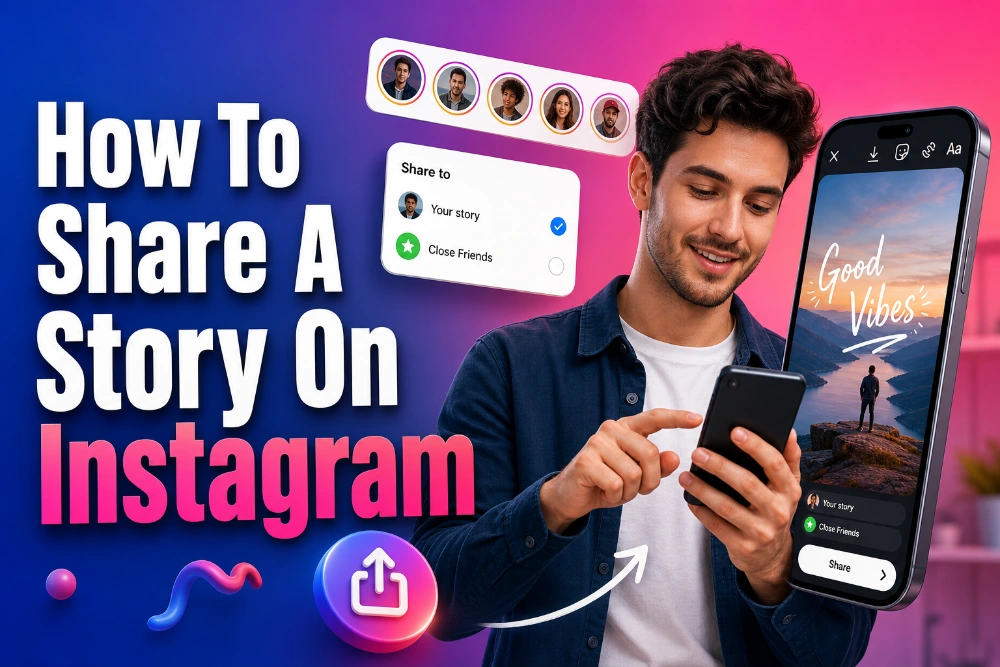
Learning how to share a story on Instagram is easy once you understand what Instagram allows, what it blocks, and how Story privacy works. You can post your own Story, share posts or Reels to your Story, send Stories in direct messages, and repost another person’s Story only when the right conditions are met.
This guide explains the exact steps, the common missing-button problems, and the respectful habits that help you share content without confusing followers or misusing someone else’s work.
Understand What Instagram Lets You Share
Instagram Stories are temporary posts that usually disappear after 24 hours unless the creator saves them to Highlights. That short lifespan makes Stories feel casual, but Instagram still limits sharing to protect privacy, account settings, and creator control. You can share your own Story freely, send some Stories by direct message, and repost another person’s Story to your Story only when you are mentioned and sharing is allowed.
The first difference to understand is creating versus resharing. Creating means you upload your own photo, video, text, or design, while resharing means you place eligible content from another account inside your own Story. If you study how profiles keep their best Story content visible after regular Stories expire, the Instagram highlights viewer tool helps you view Highlight collections in a focused way, so you can understand how saved Stories support profile presentation.
How To Share A Story On Instagram Step By Step
To share your own Instagram Story, open Instagram and tap the plus icon, your profile photo, or the Story camera area. Choose a photo or video from your gallery, record a new clip, or use text mode when you want a quick update without media. Add captions, stickers, music, polls, mentions, location tags, or drawings, then tap Your Story to publish it.
Before you post, decide who should see the Story. Use Close Friends for personal updates, hide Stories from specific people when needed, and remember that public accounts can reach beyond existing followers more easily than private accounts. This small audience check helps you avoid sharing too widely, especially when the Story includes personal plans, customer content, location details, or behind-the-scenes moments.
How To Repost A Story When You Are Tagged
Reposting someone else’s Story works through Instagram’s mention system. When another account tags your username in a Story, Instagram normally sends a direct message notification that includes an Add To Your Story option. Tap that option, resize the Story card, add your own short comment if it helps, and publish it to your Story.
This works well for collaborations, customer shoutouts, event recaps, testimonials, and friendly mentions because the original username stays visible. When reviewing public content patterns before resharing inspiration, an Instagram content viewer tool can help you look at profile content more clearly, so you separate feed posts, Reels, and Story-style content instead of mixing their sharing rules. Add a sentence that explains why the repost matters, because useful context makes the shared Story feel intentional rather than random.
What To Do When You Are Not Tagged
If you are not tagged in someone else’s Story, Instagram usually will not show the Add To Your Story button. You may still be able to send the Story by direct message, copy a link, or share it through another app if the creator’s privacy settings allow it. The best solution is to ask the creator to mention you or send the original media, especially when you plan to share the content publicly.
Screenshots and screen recordings may seem convenient, but they can create trust, copyright, and privacy issues when used without permission. Strong wording also affects how shared content is understood, and an Instagram caption viewer can help you study how public captions frame tone, context, and meaning before you write your own Story note. If the content involves a customer, child, private location, or personal moment, ask first and credit clearly.
Why The Add To Story Button Is Missing
The Add To Your Story button disappears for several common reasons. You may not have been tagged, the original account may be private, the Story may have expired, or the creator may have disabled sharing options. Instagram can also hide the feature when your app is outdated, your account has restrictions, or a temporary glitch affects Story tools.
Start with the simple checks before assuming the feature is gone. Update Instagram, reopen the app, confirm that the creator mentioned your exact username, and make sure the Story is still live. If the original account is private, some of your followers may not be able to view the reshared content even when the repost appears on your Story.
Quick Settings To Review
Open Instagram settings and review the Story privacy area if people cannot share your Stories. Allow message sharing and Story sharing when you want followers, customers, or collaborators to spread eligible mentions. Keep these controls tighter for personal accounts and more open for creator or business profiles that rely on user-generated content.
How To Share Your Own Story With Followers
Sharing your own Story gives you the highest level of control because you choose the media, audience, and message. Open Instagram, choose Story, select your image or video, then add text, stickers, music, links, mentions, polls, or location details. When the Story looks clear and readable, tap Your Story for public follower sharing or Close Friends for a smaller audience.
Think about the viewer before you publish. A Story can entertain, explain, announce, tease a new post, invite replies, or guide people toward a useful next step. The best Stories feel quick without feeling careless, because even a short clip can influence how people see your account.
How To Share Feed Posts And Reels To Stories
Instagram lets you share many feed posts and Reels to your Story, which is helpful when you want to highlight content without placing it permanently on your grid. Tap the paper-plane icon under a public post or Reel, choose Add To Story, and customize the preview with text, stickers, or a brief reaction. This is different from reposting someone’s Story because feed posts and Reels use a separate sharing route.
Use this method when you want to promote your new post, react to a Reel, spotlight a partner, or point followers toward something timely. If the Add To Story option does not appear, the account may be private or the creator may have turned off resharing for posts. Add your reason for sharing so followers understand the value instead of seeing a floating post with no explanation.
How To Share A Story In Direct Messages
Sometimes a private share is better than a public repost. Open the Story, tap the paper-plane icon when it appears, choose the person or group you want to send it to, and add a short message if context is needed. This works well for sharing event details, funny clips, product examples, creator posts, or anything relevant to only a few people.
Direct-message sharing still depends on privacy settings. If the original account is private, your recipient may not be able to view the Story unless they already follow that account. To avoid confusion, explain what you are sending instead of dropping a silent Story link that may open as unavailable.
How To Make Your Stories Easier To Reshare
If you want other people to share your Stories, make the process simple. Mention usernames clearly, keep your account public when reach matters, and turn on sharing settings that allow followers to send your Stories or repost eligible mentions. Avoid covering important visuals with stickers because people may add their own text when they reshare.
Design also affects how far your Story can travel. Leave enough blank space for repost captions, use readable text, and place logos or handles where they remain visible after resizing. A clean Story gives other people something they can reshare without making it look messy, which improves the chance that your message spreads naturally.
Smart Story Design Tips That Increase Engagement
A shareable Story should be clear within the first second. Use one main idea, readable text, strong visual contrast, and a simple layout instead of crowding the screen with stickers and tiny words. If people have to pause and decode the Story, they are less likely to reply, share, or remember it.
Interactive stickers can also improve engagement because they invite viewers to do something. Use polls for quick opinions, question boxes for feedback, quizzes for playful education, countdowns for launches, and link stickers when you want to guide people somewhere useful. Keep each Story focused on one action because asking viewers to vote, reply, click, and share at the same time weakens the result.
Etiquette For Sharing Someone Else’s Content
Good Story sharing is about respect as much as technique. When someone tags you, the repost option may be available, but you should still consider whether sharing the content fits the situation. If the Story includes a private moment, a child, a customer result, a home location, or sensitive information, ask before you repost it.
Credit should stay visible and sincere. Do not crop out the creator’s username, cover their handle with stickers, or make the repost look like your original content. When you add commentary, keep it honest and useful, because your note can add value to the original Story or make the share feel careless.
Common Mistakes To Avoid Before Posting
The most common mistake is assuming every Story can be reposted. Instagram’s sharing system depends on mentions, privacy settings, account status, and creator permissions, so the option may not appear even when you can view the Story. Another mistake is resharing without context, which leaves followers wondering why the content is on your profile.
Avoid these habits when sharing Stories:
- Reposting screenshots without permission.
- Covering the original creator’s username.
- Adding too much text over important visuals.
- Sharing private-account Stories with people who cannot view them.
- Posting blurry, cropped, or confusing previews.
A cleaner habit is to pause for a few seconds before publishing. Check the tag, review the audience, confirm that the creator’s credit is visible, and make sure your added text helps the viewer understand the point. That quick review can prevent privacy problems, messy design, and low-value reposts.
Conclusion
Mastering how to share a story on Instagram becomes simpler when you know the difference between posting your own Story, sharing a feed post, sending a Story privately, and reposting a Story where you were tagged.
The safest official repost method is the tagged-mention route, but you can still send Stories through direct messages, use allowed sharing options, and ask creators for permission when the repost button is unavailable.
If you use the right settings, add useful context, credit creators clearly, and design Stories that are easy to understand, your sharing will feel cleaner, more respectful, and more engaging for the people who follow you.
