
Turning off your Instagram business account might seem like a daunting task, but it’s actually quite simple once you know the steps. Whether you’re temporarily switching to a personal account or no longer need the business tools, this guide will walk you through the process efficiently.
By the end of this article, you’ll be confident in how to turn off your business account on Instagram and make any necessary adjustments.
Instagram Business Accounts and Why You Might Want to Turn Them Off
Before diving into the “how-to” of turning off your business account, it’s important to first understand what an Instagram Business account is and why someone might choose to deactivate it. Instagram Business accounts are designed for businesses, offering tools such as detailed analytics, ad capabilities, and contact buttons. They allow businesses to track audience engagement, run ads, and get more insights into their followers’ behavior.
However, many users switch to a personal account when these tools are no longer needed. Whether you’re taking a break from business, focusing on a personal project, or simply prefer a less complex Instagram experience, turning off your business account can give you more privacy and control over your Instagram presence. If you’re in need of a streamlined process to manage Instagram content, using tools like the Instagram Highlights Viewer can simplify the process of viewing posts and stories.
Reasons to Turn Off Your Business Account
Turning off your Instagram business account is a decision that comes with several benefits. Here are a few reasons why someone might want to make the switch:
- Privacy: Business accounts are linked to insights and advertising features that could compromise your privacy. Switching to a personal account ensures fewer data collection practices.
- Simplicity: Personal accounts don’t come with the complexities of running ads or analyzing metrics, allowing you to focus on what truly matters to you.
- Cost Considerations: For businesses that no longer need promotional tools, switching to a personal account saves on ad spends and unnecessary subscriptions.
How to Switch from a Business Account to a Personal One
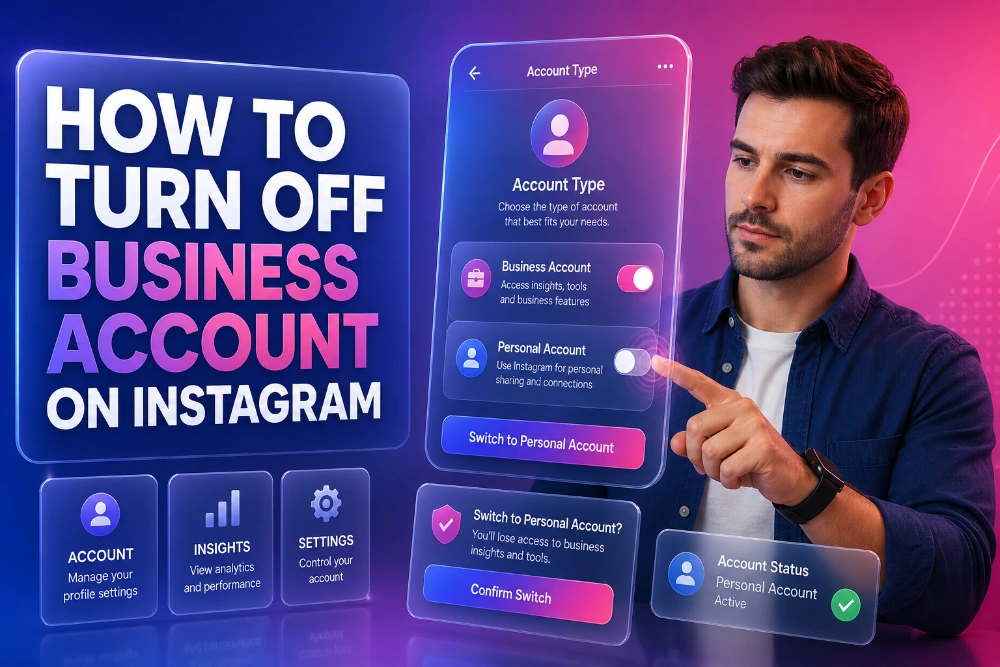
Switching from a Business account to a Personal account on Instagram is a straightforward process. Here’s a step-by-step breakdown:
- Open Instagram: Open the Instagram app on your mobile device and navigate to your profile.
- Access Settings: Tap the three horizontal lines in the upper right corner to access your settings.
- Account Options: Scroll down and select “Account.”
- Switch Account Type: You’ll see an option labeled “Switch Account Type.” Click on it, and then choose “Switch to Personal Account.”
This process removes the business features like insights, ads, and contact buttons. Your Instagram experience will become less business-oriented, making it easier to manage for personal use. If you are looking for more control over viewing different Instagram elements, tools like the Instagram Data Viewer can help you monitor content and followers in a more streamlined way.
What Happens After Switching to a Personal Account?
After switching to a personal account, you’ll notice several changes. For starters, you’ll lose access to the following features:
- Analytics: Insights and detailed audience engagement metrics will no longer be available.
- Advertising: You won’t be able to run Instagram ads or access business-specific advertising features.
- Contact Buttons: The ability to add direct call-to-action buttons (like “Contact” or “Get Directions”) will be removed.
However, all your posts, followers, and content will remain intact. The switch doesn’t delete any media or comments. If you choose to switch back to a business account in the future, all your previous posts and followers will still be there.
Reverting Back to a Business Account
If you ever decide that you need the business features again, the process of switching back is just as simple. You can access the settings and select “Switch to Business Account,” entering the required details to set up the business features once more.
Temporarily Deactivating Your Instagram Account
Sometimes, you might want to take a break from Instagram without permanently deactivating your account. Instagram provides an option to temporarily disable your account. This hides your profile and all your content until you reactivate it by logging back in.
To temporarily deactivate your account:
- Log into Instagram on a desktop browser (this option is not available on the app).
- Go to Profile Settings: Click on your profile picture and go to “Edit Profile.”
- Temporary Deactivation: Scroll down and click on “Temporarily disable my account.”
- Choose a Reason: Select a reason for disabling your account.
- Confirm: Enter your password and click “Temporarily Disable Account.”
This process is useful if you need to step away for a while but don’t want to delete your account or lose your followers. Once reactivated, your account will be exactly as you left it.
The Impact on Instagram Features and Tools
Switching to a personal account or temporarily disabling your business account can affect how you interact with Instagram’s features and tools. For those who previously used business-related tools, you’ll no longer have access to these features:
- Business Insights: The data and analytics provided for business accounts will be unavailable.
- Instagram Ads: If you were running ads through your business account, those will stop once you switch to a personal account.
- Third-Party Tools: Many third-party tools used for businesses, such as the Instagram Caption Viewer, may have limited functionality with personal accounts.
Why You Might Want to Keep Your Business Account
While some users may want to switch to a personal account, there are also several reasons to keep your business account active. If your goal is to maintain a professional presence, access detailed analytics, or run ads to promote your business, keeping your business account may be the best choice. Ultimately, the decision comes down to your personal or business goals.
Managing Your Instagram Content After Switching Accounts
Even after you switch to a personal account, managing your Instagram content can still be made easier with the help of third-party tools. Whether you’re monitoring your feed, analyzing content, or viewing stories, tools like the Instagram Content Viewer can help streamline the process of engaging with Instagram’s many features.
Conclusion
In conclusion, learning how to turn off your business account on Instagram is a simple process that can offer greater privacy, simplicity, and control over your profile. Whether you’re taking a break or shifting your focus to personal use, switching your account is an easy adjustment.
Keep in mind the impact it may have on your business tools and decide whether it’s the right step for you. By following the steps outlined in this article, you’ll have no trouble navigating the switch and making the most out of your Instagram experience, regardless of the type of account you choose.
FAQs
How do I turn off my Instagram business account?
To turn off your Instagram business account, go to your account settings, select “Account,” and choose “Switch to Personal Account.” Confirm the change, and you will no longer have access to business tools like insights and ads.
Will I lose my followers if I switch to a personal account?
No, switching to a personal account will not affect your followers or posts. Your content and followers will remain intact, but you’ll lose access to business-specific features like analytics, contact buttons, and ads.
Can I switch back to a business account after turning it off?
Yes, you can switch back to a business account at any time. Simply go to your account settings and choose “Switch to Business Account.” This will restore business tools like insights, ads, and contact options.
What happens to my insights data when I switch to a personal account?
When you switch to a personal account, you will lose access to insights. It’s recommended to export any important data before making the switch to avoid losing valuable metrics and analytics information.
Are there any features I will lose when I turn off my business account?
When you switch to a personal account, you will lose access to features like Instagram Insights, ads, promotional tools, and the ability to add a contact button. However, your content and followers will remain unchanged.
How do I switch from a creator account to a personal account?
Switching from a creator account to a personal account follows the same steps as switching from a business account. In your Instagram settings, choose “Account” and select “Switch to Personal Account” to complete the process.
Can I still run Instagram ads with a personal account?
No, you cannot run Instagram ads with a personal account. Ads and promotional tools are only available through business or creator accounts. If you need to run ads, you must switch back to a business account.
Do I need to uninstall the Instagram app to turn off my business account?
No, you do not need to uninstall the app to switch your account type. Simply open Instagram, go to settings, and follow the process to switch to a personal account. No app removal is necessary.
Is it possible to hide my business profile on Instagram without switching accounts?
Instagram doesn’t offer an option to hide your business profile, but you can switch to a personal account. This removes the business label and disables business features, giving you more privacy while maintaining your posts and followers.
How can I keep track of my Instagram data after switching to a personal account?
After switching to a personal account, you will lose access to Instagram Insights. To track your data, consider using third-party tools or apps like the Instagram Highlights Viewer that provide valuable insights and metrics.
